

Every couple of years, a new version of React arrives, and development teams spend the following weeks arguing about whether it actually changes anything. React 19 is one of the rare releases where the answer is a clear yes. It does not reinvent how applications get built, but it removes a long list of small frustrations developers have worked around for years, resulting in applications that are faster to build, faster to load, and easier to keep running smoothly.
Knowing what changed, and why, makes that call easier, whether it lands on a developer’s desk or a budget owner’s.
What Is React 19?
React 19 is a major release that bundles several capabilities directly into the library that developers previously had to install as separate add-ons, most notably around forms, loading states, and page information. React itself is the code library that powers the interactive parts of a large share of the websites and apps people use daily, from dashboards to online stores. Each new version changes how developers write that code, and React 19 focuses on cutting the amount of code needed for tasks nearly every application has to handle.
The most notable additions are Actions for asynchronous form handling, a set of new hooks that pair with them, more mature Server Components support, native document metadata, improved resource loading, and more reliable hydration. Add it all up and a development team ends up with fewer moving parts to maintain, and fewer places for bugs to hide.
Actions and the New Hooks
Handling a form in earlier versions of React usually meant writing separate code for loading states, validation, and error handling by hand, every single time. Actions change that by letting a form submit in the background while React manages much of that bookkeeping on its own, cutting down on repetitive code and reducing the chance of bugs slipping into a flow such as a checkout page or a signup form.
Three new hooks work alongside Actions. Each is a small, reusable piece of logic a developer plugs directly into a component. useActionState handles cases like authentication, registration, and checkout by tracking an action’s result without a pile of separate state variables. useFormStatus knows whether a form is mid-submission, so a button can disable itself or show a spinner without extra code. useOptimistic is the most visible of the three: it updates the interface right away, before the server even responds, then reconciles once the real result arrives. Chat messages and status updates benefit most from this, since a second of lag is enough to make an application feel broken.
The upshot for anyone watching the budget is fewer development hours spent building and testing form logic that used to be written from scratch on every project, and fewer support tickets when a form quietly breaks under load.
Server Components, Metadata, and Performance
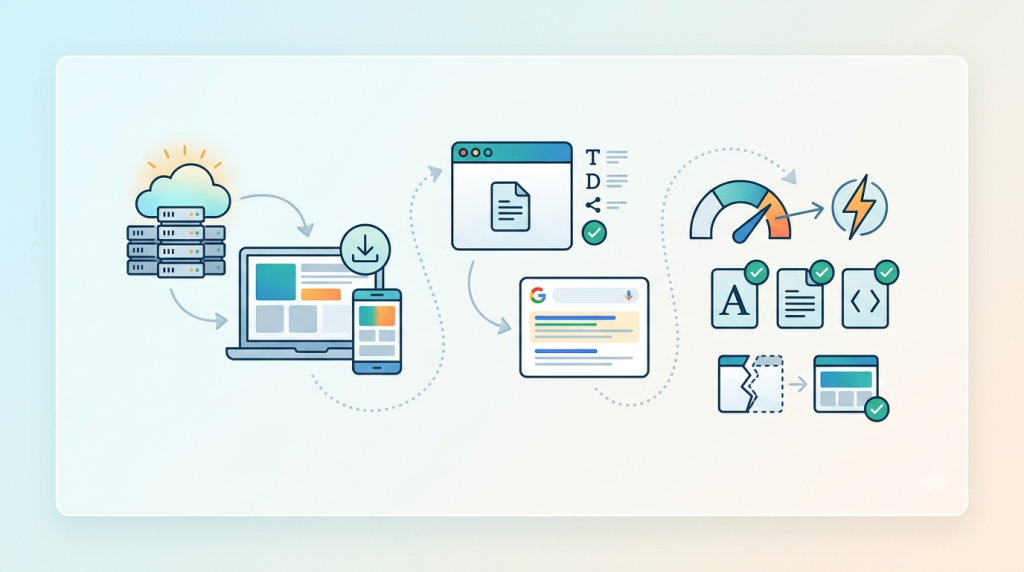
Server Components have matured considerably in React 19. By shifting more of the rendering work to the server, applications send less code to the visitor’s browser, shortening load times and reducing strain on the visitor’s device, an improvement that stands out most on older phones or slower connections. Paired with a framework such as Next.js, this typically means faster initial loads and smaller downloads for the end user.
Likewise, React 19 introduces native support for document metadata, so page titles, descriptions, canonical URLs, and social sharing tags can be managed directly within the application’s code rather than through a separate, framework-specific workaround. This matters for any business where visibility in search results and social shares drives revenue, since metadata has historically been one of the more fragile parts of a React application to keep accurate as a site grows.
On the performance side, new resource loading APIs help the browser prioritize fonts, stylesheets, and scripts more intelligently, so the visible parts of a page appear sooner. Hydration, that handoff between the static page a server first sends and the interactive version React takes over in the browser, is also more reliable now, so fewer pages briefly look broken before settling into place. Error reporting has been sharpened too, so developers can trace a problem’s source faster instead of guessing at it.
React 19 Compared With React 18
| Feature | React 18 | React 19 |
|---|---|---|
| Actions | No | Yes |
| Native async form handling | No | Yes |
| useActionState | No | Yes |
| useOptimistic | Experimental | Stable |
| Metadata support | Limited | Native |
| Asset loading APIs | Basic | Improved |
| Hydration | Good | Improved |
| Server Components | Early support | More mature |
React 18 laid the groundwork for this with concurrent rendering. React 19 turns that groundwork into a noticeably smoother experience for developers and, in turn, for the people using what they build.
Are There Breaking Changes?
React 19 was designed with backward compatibility in mind, and most applications can upgrade without extensive rewrites. That said, upgrade difficulty generally depends more on a project’s existing dependencies than on React itself. Third-party libraries that have not yet added React 19 support, deprecated code patterns still present in older codebases, and testing tools that need updating are the most common sources of friction. A careful review of these areas before upgrading, ideally against a staging environment rather than production, avoids most surprises.
Should You Upgrade?
A new project has the easiest call to make: start on React 19, since its built-in features cut the amount of code needed from day one. An actively maintained application is close behind. Upgrading there tends to pay off quickly through cleaner code and less reliance on outside packages, as long as the existing dependencies are compatible with the new version. Legacy applications need more patience. If a codebase has not been touched in years, plan the move in stages rather than all at once; testing each stage thoroughly limits the risk of a regression reaching production and disrupting customers.
A typical upgrade path involves updating the React and React DOM packages, upgrading testing tools, reviewing deprecated code, confirming third-party compatibility, testing major user flows by hand, and rolling out gradually while watching for issues. Larger applications benefit from a phased approach, upgrading one section or team at a time, rather than a single cutover that puts the whole product at risk.

How WEN Helps
At Web Experts Nepal, we build and modernize React applications for startups, SaaS companies, and growing businesses, and an upgrade like this is exactly the kind of work we handle regularly. Beyond version upgrades and migration, our team works on custom React development, performance optimization, API integrations, MVP builds, and Next.js applications, along with ongoing maintenance once a project is live. Whether you are starting fresh or bringing an existing codebase up to date, we focus on making sure the underlying architecture holds up as your application grows, not just that it works today.
Frequently Asked Questions
- Is React 19 production ready? Yes. React 19 is stable and supported across the React ecosystem, though it is worth confirming that your specific frameworks and libraries have added compatibility.
- Can I upgrade directly from React 18 to React 19? In most cases, yes, provided your third-party dependencies support the new version and you test thoroughly before deploying.
- Does React 19 improve performance? Noticeably. Improvements to hydration, resource loading, and rendering make applications feel faster and more responsive to use.
- Does React 19 include breaking changes? Backward compatibility was a priority, but some projects may need to update dependencies or adjust code built on deprecated patterns. Testing before deployment is always worthwhile.
- Is React 19 compatible with Next.js? It is. Current versions of Next.js support React 19, including Actions and the more mature Server Components model.
- Who should consider upgrading to React 19? Any team starting a new project, plus actively maintained applications whose dependencies support it. Legacy applications can upgrade too, but should plan the move in stages.
Related resources.
WooCommerce Store Speed Audit: Why Product Pages Slow Down As Your Catalog Grows

Website KPIs That Actually Matter

Website Technical Debt Explained: What It Is, Why It Matters, and How to Reduce It
Have an idea worth building?
Share your concept with us and we’ll help you shape the right approach.