

A slow website is one of the most common reasons businesses lose customers online, and one of the easiest problems to miss. Unlike a broken form or a server outage, poor performance rarely triggers a complaint. Most visitors do not explain why they left. They just leave.
We see this regularly. A business puts real effort into a well-designed site, publishes good content, runs paid campaigns, and then cannot figure out why the numbers are flat. Often it is not the messaging. The site is simply slow enough to lose people before they get far enough to convert.
Websites slow down because of accumulated complexity. Unoptimized images, too many third-party scripts, inadequate hosting, plugin overload, and neglected databases are the most common causes. Fixing them requires identifying which issues are actually present before deciding what to address first.
Why website speed matters more than most businesses realize
Before a visitor reads a single word, they experience how fast your site loads. Most people will not consciously register good performance. They will absolutely register when it goes the other way.
Google’s own data shows that as page load time increases from one second to three seconds, the probability of a visitor bouncing rises by 32%. The effect is sharper on mobile, where users are less patient and networks less reliable.
Website speed also directly affects search visibility. Google uses Core Web Vitals as a ranking signal—a set of metrics measuring how quickly content loads, how quickly a page becomes interactive, and how stable the layout is as it loads. A site that performs poorly on these metrics sits at a disadvantage in search results compared to faster competitors, even when the content is comparable.
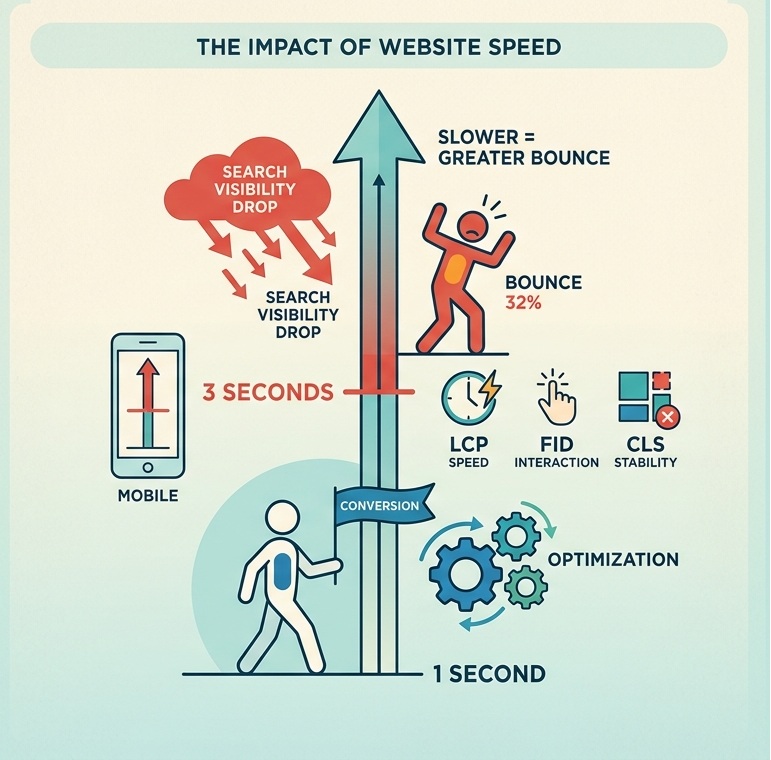
If your site is slow, everything else, the design, the copy, the campaigns, is working harder than it needs to.
What actually causes a website to slow down?
Performance problems rarely have a single cause. They accumulate. A plugin here, an analytics tag there, a batch of uncompressed images uploaded during a campaign push. Individually, none of it seems significant. Over time, the combined weight starts to show.
Hosting that has outgrown its purpose
Shared hosting divides server resources across hundreds or thousands of other websites. When traffic picks up or the site grows more complex, that foundation starts to crack. Slow Time to First Byte is almost always a hosting problem, and no amount of frontend optimization compensates for a server that responds slowly.
Images that were never optimized
A photograph from a modern camera can easily run several megabytes. Multiply that across a page with a header image, product shots, and blog thumbnails, and every visitor is downloading far more data than necessary. This problem worsens the longer a site runs without an image audit.
Too many external scripts running at once
Analytics platforms, advertising pixels, live chat, CRM integrations, heat-mapping tools. Each adds a separate network request. Collectively they add real weight, and a slow response from any one of them can hold up everything else on the page.
Plugin accumulation on WordPress sites
A plugin installed for a campaign two years ago, a contact form tool that was replaced but never removed. These stay active, loading scripts on every page request, long after anyone remembers why they were installed.
A database that has never been maintained
Old revisions, expired records, and inefficient queries build up over time. For WooCommerce stores carrying years of order history and product data, an unmaintained database becomes a significant and growing drag on performance.
Diagnosing the problem properly
The most common mistake in performance work is skipping straight to fixes. Compressing images when the actual problem is a slow server wastes time and leaves the real issue untouched. Fixing the wrong thing first can also make accurate diagnosis harder afterward.
Tools like Google PageSpeed Insights, Lighthouse, and WebPageTest surface issues related to loading speed, render-blocking resources, and Core Web Vitals scores. They are useful but measure performance under controlled conditions, which does not always reflect real-world use. A site can score well on a test and still frustrate users if the underlying issues are tied to third-party scripts or database response times that automated audits do not weight heavily.
Direct observation fills in what tools miss. Walk through the site as a visitor would, on a mobile device and a cellular connection. Note which pages feel sluggish and whether delays happen on initial load or during interaction. If analytics data is available, look for correlations between slow pages and high exit rates. The pattern is usually visible once you start looking for it.
Practical ways to improve performance
- Upgrade hosting where the server is the bottleneck
Upgrading to managed WordPress hosting or a dedicated environment often produces the most immediate improvement in overall page speed. - Optimize images before they go live
Compress images, switch to modern formats like WebP, and size files correctly before uploading. Implementing lazy loading defers images below the fold, reducing the initial payload on longer pages. - Audit and reduce third-party scripts
Many sites carry tracking pixels from campaigns that ended months ago and analytics tools that duplicate each other. Removing what is no longer earning its place is often more effective than working around it. - Remove unused WordPress plugins
Deactivating and deleting plugins that are no longer needed is one of the most straightforward improvements available. Some plugins load scripts globally even when they are only relevant on a single page. - Maintain the database
Regular cleanup of old revisions, expired records, and redundant data keeps query times down. For WooCommerce stores that have been running a few years, a database audit is almost always overdue. - Implement caching
Properly configured page caching, object caching, and browser caching reduce the processing work repeated for each visitor. A content delivery network adds another layer by serving assets from locations closer to the user.
When optimization is not enough
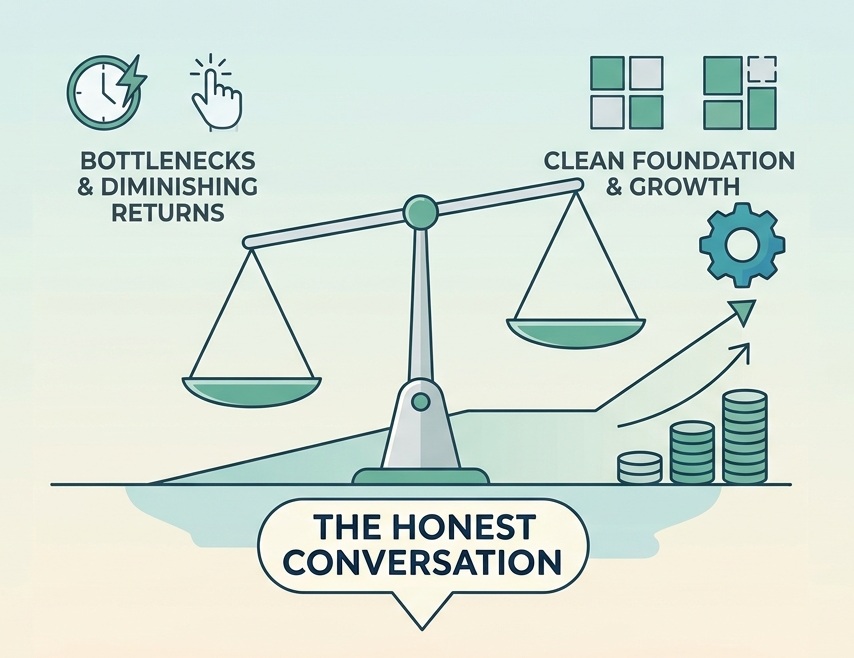
Sometimes the issue is not a specific bottleneck but the result of years of accumulated decisions that created something difficult to maintain and consistently slow to run. A site that has grown without a coherent technical strategy can reach a point where performance work produces diminishing returns. When that is the situation, the honest conversation is whether the platform can realistically be brought to where it needs to be, or whether rebuilding on a cleaner foundation is more practical. Another angle this conversation can shift to is the decision between either building a custom foundation or buying from a SaaS platform.
Website performance is ongoing maintenance, not a one-time fix
A website is a living system. New content, new integrations, new marketing tools, changing traffic patterns. All of it affects performance over time. The sites that stay fast are not necessarily the ones that launched with the highest scores. They are the ones that are reviewed and maintained consistently as they grow and evolve.
Caught early, performance issues are usually inexpensive to fix. Left alone, they compound. This compounding effect, where deferred fixes make each future improvement more expensive than the last, is the defining characteristic of technical debt.
Frequently Asked Questions
- Why is my website slow?
The most common causes are unoptimized images, too many third-party scripts, underpowered hosting, plugin accumulation, and databases that have never been maintained. In most cases, more than one of these is contributing simultaneously. - How do I speed up my WordPress website?
Start by identifying the actual cause. Use Google PageSpeed Insights to surface the main issues, then prioritize by impact. Common improvements include upgrading hosting, compressing images, removing unused plugins, reducing third-party scripts, and implementing caching. For WooCommerce sites, database maintenance matters too. - Does page speed affect SEO?
Yes. Google uses Core Web Vitals as a ranking factor, and page speed is central to those metrics. Slow sites also produce higher bounce rates and lower engagement, which are behavioral signals that further affect search performance. - What is a good Google PageSpeed score?
Scores above 90 are considered good. Between 50 and 89 needs improvement. Below 50 is poor. That said, the score is a diagnostic indicator, not the end goal. A site scoring 85 that loads quickly for real users is performing better than one scoring 92 that feels slow due to issues the automated test does not capture well. - What are Core Web Vitals?
These are Google’s metrics for measuring real-world page experience. They cover Largest Contentful Paint (how quickly main content loads), Interaction to Next Paint (how quickly the page responds to input), and Cumulative Layout Shift (how stable the layout is as it loads). They are used as ranking signals and are measurable in Google Search Console.
Work with us
At Web Experts Nepal, performance work starts with understanding what is actually happening rather than applying a standard set of fixes. That means looking at the whole picture: hosting, database, code, plugins, third-party integrations. The slowdown is rarely coming from one place.
If your site feels slower than it should, we are happy to take a look and give you an honest assessment of what is going on.
Contact UsRelated resources.

How to Choose the Right eCommerce Platform for Your Business
Why Enterprises Still Choose WordPress

How to Scale a WooCommerce Store Without Breaking Performance
Have an idea worth building?
Share your concept with us and we’ll help you shape the right approach.