
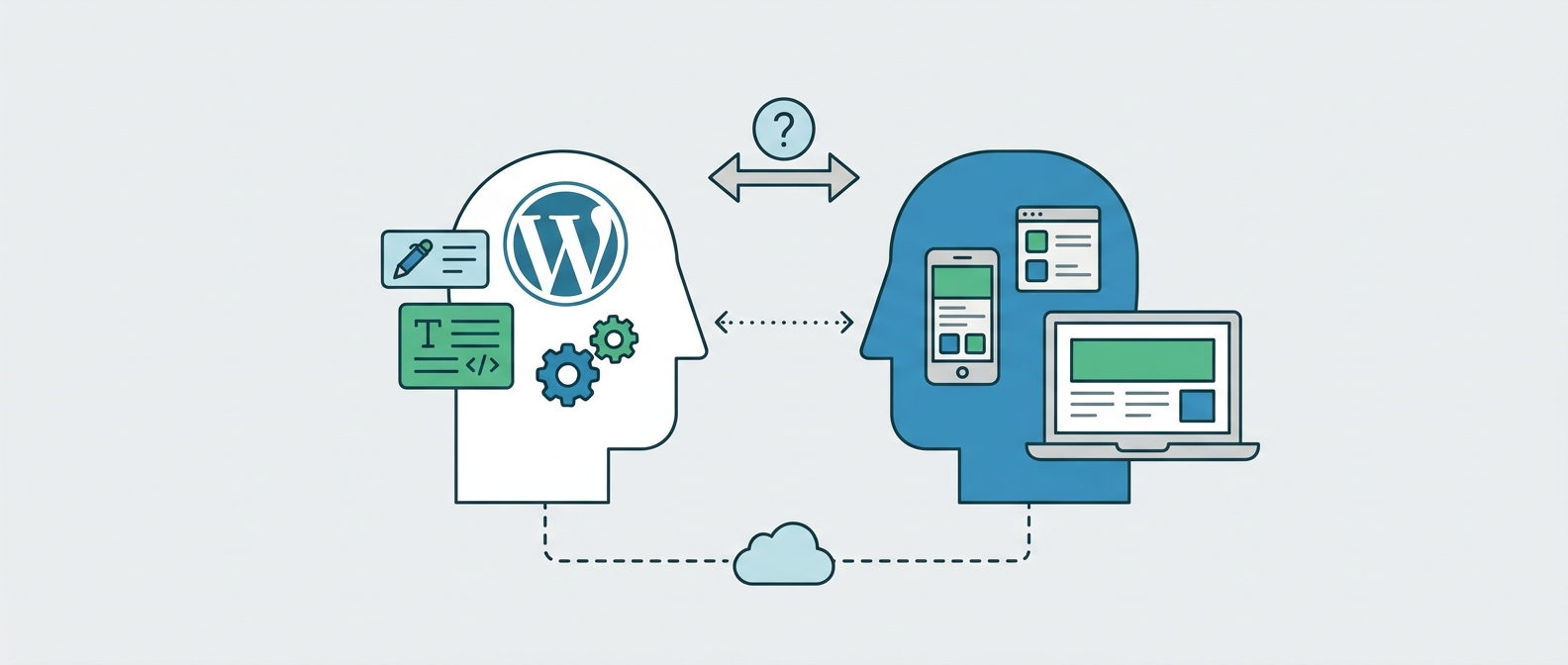
Everyone in web development seems to have an opinion on headless WordPress as it has become one of the most talked-about upgrades in web development, which also has caused it to also be one of the most overhyped. Agencies pitch it as the modern choice while developers get excited about the flexibility. However, excitement is not the same thing as need, and before spending the extra budget, it is worth asking a simpler question: does your website actually have a problem this solves , or are you just chasing a trend?
Headless WordPress is worth it only when your website has a problem that the extra complexity actually solves. For most standard business websites, a well-built traditional WordPress site still delivers more value for a fraction of the cost..
What Headless WordPress Actually Means
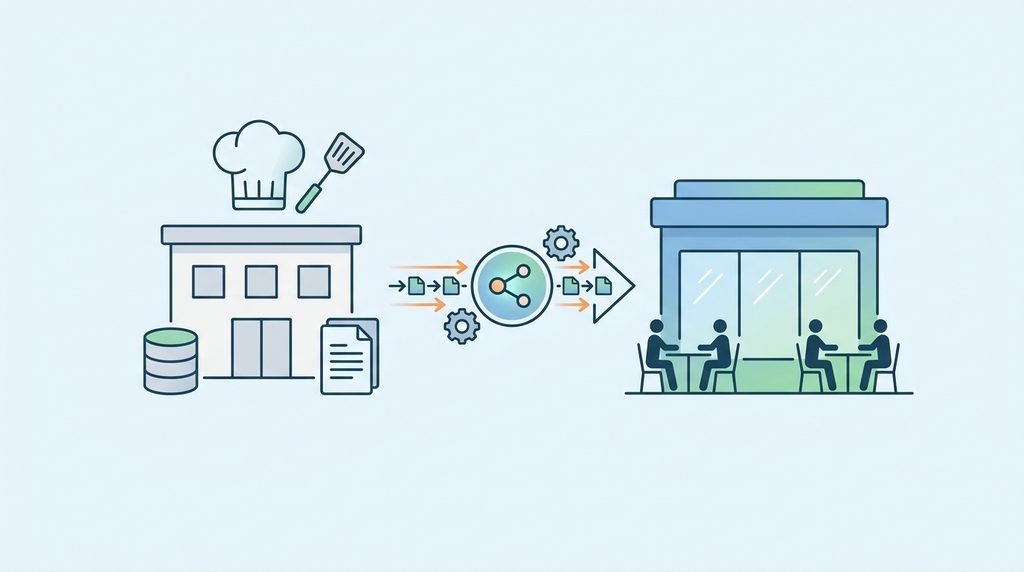
A traditional WordPress website has a sole system doing two jobs: it stores your content and it decides how that content looks to visitors. Headless WordPress splits those jobs apart where WordPress still stores and manages the content, exactly as before, but a separate frontend application (like Next.js or React) takes that content and decides how it is displayed.
Think of this sort of a system akin to a restaurant that separates its kitchen from its dining area. WordPress becomes the kitchen, preparing and organizing everything while the frontend becomes the dining area, the part your customers actually see and interact with. The two communicate through a connector called an API, which simply passes content from one side to the other as structured data.
Traditional vs Headless, in Plain Terms
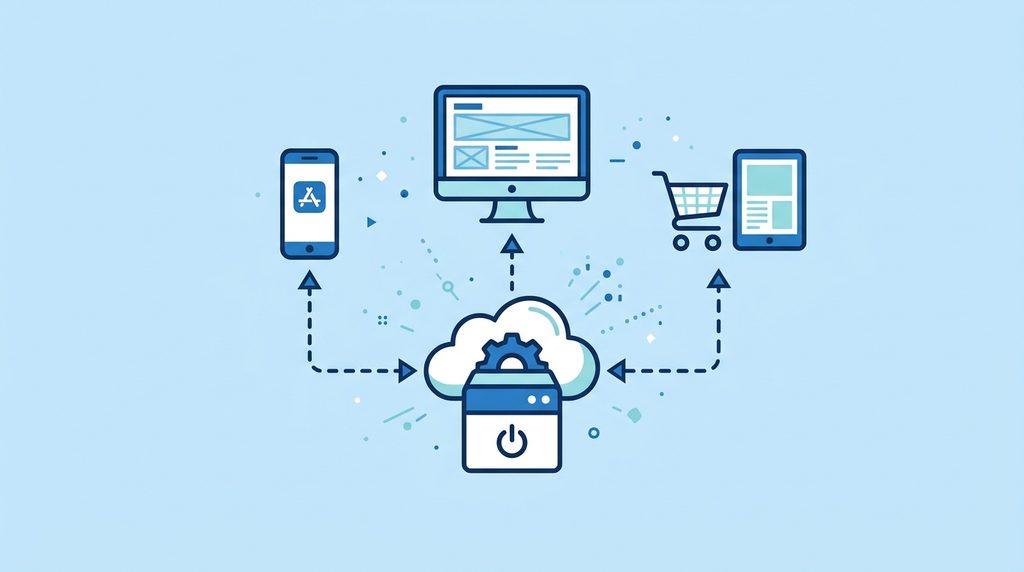
A traditional WordPress site is generally faster to build, cheaper to maintain, and easier for a marketing team to edit without help from a developer. In contrast, a headless site costs more upfront and needs a more technical team to run, but in return it gives that team far more control over speed, design, and how content is reused across different platforms—such as a website, a mobile app, and a customer portal—all pulled from the same source.
Neither approach wins by default. The right one depends entirely on what your business is trying to accomplish, not on which technology sounds newer.
Why Businesses Are Drawn to It
Modern company websites rarely stand alone anymore. They often need to talk to sales software, marketing tools, online stores, and customer account portals. Headless WordPress makes these connections easier to manage, since each system can plug into the shared content independently rather than fighting over a single rendering engine. For a business already juggling several digital tools, or planning to launch an app alongside its website, this is the appeal in a single sentence. For organizations already using Salesforce to manage leads, donors, or customer relationships, the integration question matters particularly, whether a headless architecture makes that data connection more reliable or simply more complex depends on the scale and type of data flowing between the two systems.
The Real Benefits
Freed from traditional theme limitations, developers can build frontends that feel closer to an app than a webpage, which matters most for businesses whose site needs to do more than display information, such as product configurators or member dashboards. This same freedom also opens up finer control over speed, since techniques like pre-generating pages and serving them through a content delivery network become far easier to implement well.
That said, headless does not guarantee a faster website on its own. A poorly built headless frontend can be just as slow as a poorly built traditional one; speed comes from the quality of the work, not the label on the architecture.
Because content and presentation are kept separate, one WordPress backend can also feed several different frontends at once. Meanwhile, your content team keeps using the WordPress dashboard they already know, since the technical shift mostly happens behind the scenes rather than disrupting how editors work day to day.
The Real Trade-Offs
While we talk about the benefits, it is worth noting that none of this comes for free. A headless project effectively means building and maintaining two systems instead of one, which calls for developers comfortable with WordPress, APIs, and a JavaScript framework all at once. For a site belonging to a relatively small business, that extra cost may not buy enough additional value to justify itself.
More moving parts also means more that can go wrong. If the connector between WordPress and the frontend fails, visitors may see a broken page even though WordPress itself is running perfectly fine. Plugin compatibility is a common surprise too as many popular WordPress plugins, including SEO tools, contact forms, and page builders, assume WordPress is rendering the page directly. A plugin that works flawlessly on a traditional site does not guarantee it automatically works on a headless one, so this is worth checking before development starts, not after launch.
Search visibility follows a similar rule. Headless WordPress can rank very well, but only if the frontend is deliberately built to handle page titles, meta descriptions, and clean URLs correctly, since the usual SEO plugin is no longer producing the final page. The same logic applies to visibility in AI-powered search tools; a decoupled setup can make content easier to distribute, but it does not earn better placement by itself. That still comes down to genuinely useful content and a well-organized site, regardless of the architecture underneath.
Finally, day-to-day maintenance grows more technical. Instead of managing WordPress and its plugins alone, a team now also owns the frontend framework, its dependencies, and a deployment process. That is manageable with the right in-house skills, though it is a poor fit for a business that simply wants a website it can run without specialist help.
When It Is Worth It, and When It Is Not
Headless WordPress tends to pay off for enterprise sites with heavy integrations, organizations managing large libraries of content, businesses that need one content source to power several digital products, and websites that behave more like an application than a set of pages. It also suits companies that already employ a development team capable of maintaining both layers long term.
For nearly everyone else, and particularly for standard marketing sites, blogs, nonprofit sites, and professional service websites, traditional WordPress remains the more practical route. It is cheaper to build, easier for non-technical staff to edit, and does not sacrifice meaningful speed or search performance in the process.
A Few Questions Worth Asking First
Before committing to a rebuild, it helps to answer some direct questions. Does the project genuinely need a separate frontend, or would a well-built theme do the job just as well? Are you building a website, or something closer to an application? Does the same content need to power more than one digital product? And do you currently have the skills in-house, or budget for outside help, to maintain both systems long after launch?
If your current site already ranks well, loads quickly, and is easy for your team to manage, a full rebuild introduces more risk than it resolves. It is worth first ruling out simpler fixes, such as poor hosting or a bloated theme, before assuming the architecture itself is holding you back.
If you are weighing this decision and want a second opinion on whether your site’s limitations point toward headless or toward a simpler fix, that conversation is worth having before any development begins.
Frequently Asked Questions
- Is headless WordPress better than traditional WordPress? Not universally. It offers more frontend flexibility and suits complex applications well. Traditional WordPress is usually simpler and more cost-effective for standard business websites.
- Is headless WordPress faster? Not automatically. A well-built traditional site can match or beat a poorly optimized headless one; speed depends on the build quality, not the architecture alone.
- Is headless WordPress more expensive? Usually, yes. Running a WordPress backend alongside a separate frontend application increases both development and ongoing maintenance costs.
- Can WordPress still work as a content system in a headless setup? Yes, and this is one of the main reasons businesses choose it. WordPress keeps managing content while the frontend pulls it through the API, so editors keep the dashboard they already know.
- Should every business use headless WordPress? No. It earns its cost only when its flexibility solves a genuine business need. For most websites, a well-built traditional WordPress site remains the more practical choice.
Not Sure Which Route Fits Your Business?
At Web Experts Nepal, we build both traditional and headless WordPress websites, so our recommendation is never tied to which one we happen to sell. We have spent over a decade working across WordPress, React, and Next.js, and we usually start every project the same way, by asking what the site genuinely needs to do rather than what sounds impressive on a proposal. If your current site is slow, hard to extend, or straining to keep up with the other tools your business relies on, we can walk through it with you and tell you honestly whether the fix is a rebuild, a redesign, or something far simpler than a new architecture. Reach out to us for a straightforward assessment before you commit a budget to either direction.
Contact UsRelated resources.

What Is MVP Development? Meaning, Process, and Why Startups Use It

How to Choose the Right eCommerce Platform for Your Business
Website Technical Debt Explained: What It Is, Why It Matters, and How to Reduce It
Have an idea worth building?
Share your concept with us and we’ll help you shape the right approach.