
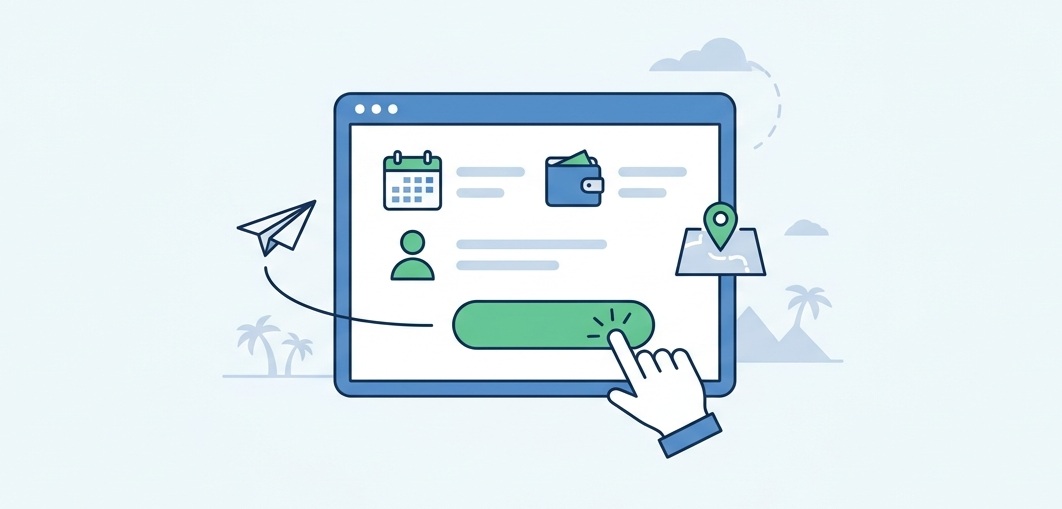
A traveller finds your eight-day Patagonia hiking tour late at night. The itinerary looks great, and the price fits their budget. They are ready to book. Then they see that the only way to reserve a place is to fill out a contact form and wait for a reply. So they open another operator’s website, find the same information, and book in minutes.
You may never know how many customers you lose this way. They leave without complaining, and no abandoned booking exists for you to investigate. For anyone starting a travel business, that makes the booking website one of the first things to get right. It affects how many visitors become customers. It also affects how much work each reservation takes.
A travel booking website lets visitors explore trip details, check dates and prices, and book a place online. If you design it around your business and your customers, it can attract direct bookings and cut repetitive admin work. It also gives you more control over customer relationships.
Why the booking website drives revenue
Travelers usually compare three or four operators before they choose one. The operator who answers their questions on the page, and makes the next step easy, has a clear advantage. Every extra step gives the visitor a reason to leave. Writing an email and waiting for a reply across time zones is a good example.
The commercial side matters just as much. Many new operators rely on marketplaces and online travel agencies to reach customers. These platforms can be valuable sources of bookings. However, commissions reduce what you earn on each reservation, and you may have less control over the customer relationship.
A website that accepts direct bookings gives you more control over your sales process. It also helps you build relationships with customers who may return or recommend your trips. Direct bookings still come with marketing and payment costs. But you decide how to manage those costs.
The two approaches can work together. Marketplaces help travellers discover your business, and your own website gives them another way to book directly.
What a travel booking website needs to do

The simplest way to plan your website is to start with what a buyer needs and what your business needs in return.
Show every trip clearly
Travelers want to know what they are signing up for before they book. Give each trip its own page. Include the itinerary, price, duration, inclusions, exclusions, group size, fitness requirements, and cancellation terms. The more questions the page answers, the less likely visitors are to leave to find basic information.
Keep dates and availability up to date
Once travellers find a trip they like, they need to know whether they can join it. For tours with fixed departures, show accurate dates and remaining places. This helps customers decide. It also reduces the risk of double bookings and back-and-forth emails.
Give travelers reasons to trust you
Booking with an unfamiliar company takes trust, especially when customers pay for a holiday months ahead. Genuine reviews, real photos, clear contact details, and relevant licenses all help. So do straightforward booking and refund policies. Together, they make visitors feel more confident about handing over their money.
Make pricing easy to understand
The price of a trip can vary by season, group size, or extras such as airport transfers and equipment rental. Your booking system should account for these differences. It should also show the full cost before checkout, so travellers know what they will pay before they commit.
Make booking easier for international travellers
If you sell trips to customers abroad, think about what they need to feel comfortable booking. Prices in familiar currencies, content in their preferred languages, and payment methods they recognize all make the process easier.
Accept payments and send confirmations
Once a traveller is ready to book, they should be able to pay in full or leave a deposit, depending on your booking terms. They should also receive a confirmation without waiting for a manual reply. Automatic receipts and pre-departure reminders keep customers informed. They also save your team from sending the same messages again and again.
Make the experience work on mobile
Many travellers discover tours through social media or search for trips on the move. A slow page, hard-to-read trip details, or a hidden booking button can make them leave. Many will go before they reserve. A mobile-friendly website with fast-loading pages keeps the process simple.
Start with the features you need
Not every operator needs all these features at launch. A business with a few scheduled tours may only need clear trip pages, accurate availability, and a reliable inquiry or booking process. On the other hand, a company that sells trips across several countries, manages multiple departure dates, or handles many reservations will have different needs. Start with the features that match how you sell trips. Then add more as your business requires them.
The behind-the-scenes parts that save time
Much of a booking system’s value stays hidden from customers. A central dashboard lets your team manage reservations in one place. You no longer piece together details from emails and spreadsheets. Booking reports also show which trips sell well, which months are busiest, and where visitors leave the booking process. These insights help you make better decisions about pricing and marketing.
Security matters just as much. A booking website may store personal information and reservation records. It needs regular software updates, reliable backups, and the right access controls. Reputable payment providers can handle card transactions, so you don’t need to process sensitive payment details yourself.
A well-chosen platform also makes it easier to add trips, update prices, and expand into new markets without rebuilding the whole website. How flexible it is depends on the platform, its integrations, and how the site was developed.
How do travellers find your trips?

Even a well-built site struggles if nobody finds it. Suppose a traveller in Australia searches for a guided hiking tour in the Dolomites. They book with the operator whose page explains the trip most clearly. A website with only a homepage and a short list of destinations has little to offer that search.
The fix is a dedicated page for each trip. Write it in plain language, using the phrases travellers actually type, such as “small group safari packages” or “custom holiday itineraries.” Use them only where they honestly describe your service. Clear page titles, useful headings, internal links, and fast-loading pages all help search engines understand your trips. Developers can also add structured data, such as product or offer details. This gives search engines extra context. It does not guarantee better rankings or enhanced results, though.
AI-powered search tools give you another reason to keep trip information specific and consistent. A page that clearly explains a tour’s duration, price, inclusions, destination, and intended audience gives search systems useful details to interpret. No one can guarantee an AI recommendation. Still, clear content and a technically sound website are a sensible starting point.
Why WordPress works for many new travel businesses
Guides, transport, suppliers, and first campaigns all compete for your launch budget, so your website should be practical. WordPress is a widely used platform that handles trip pages and destination guides well. It can also grow as your business does.
If you want to accept bookings on your own website, a travel booking plugin adds much of what a standard WordPress site lacks. One option is WP Travel, a WordPress travel booking plugin from Web Experts Nepal. It lets you create trip listings with itineraries and pricing, manage bookings, and offer online reservations. You don’t have to build a booking system from scratch.
For a new travel business, that can be a practical start. You don’t need to pay for a fully custom booking platform before you know what your business needs. Instead, begin with an established solution. Then explore changes when your booking process or business requirements call for them.
The right choice depends on the trips you sell, how customers reserve them, and which features you need from day one.
When a custom website is worth it
A ready-made setup does not suit every business. Tailor-made holidays, a connection to an outside reservation system, complex pricing, or a booking process that standard tools cannot handle all point toward custom work. Likewise, an existing travel site that attracts visitors but hides its packages deserves a closer look.
Start with how your business actually sells, not with a list of features. A comparison of WordPress and custom development can help you decide. After all, a complex booking system adds little if most customers ask for personalized itineraries. On the other hand, a simple contact form becomes a bottleneck once hundreds of reservations arrive.
Where to start
At Web Experts Nepal, we build WordPress websites and custom web applications for businesses that need more than an attractive homepage. Our work on WP Travel also gives us a close view of how tour operators sell online. If you are launching a travel company, or reworking a site that is not converting, start by looking at how customers will find, compare, and book your trips.
Contact UsFrequently Asked Questions
- How long does it take to build one?
A simple WordPress site can often be ready in a few weeks. However, a custom system with several integrations usually takes longer. Agree on a timeline before work begins. - Can WordPress handle tour bookings?
Yes. With a travel booking plugin such as WP Travel, WordPress can manage trip listings, pricing, inquiries, and online bookings. However, larger or unusual needs may call for custom development. - Can I update trips and prices myself after launch?
In most cases, yes. WordPress lets non-developers edit trip pages, dates, and prices without writing code. Larger changes may still need a developer. - Can the website handle several currencies and languages?
Yes, with the right setup. Support depends on the tools you choose and the currencies your payment provider accepts. So confirm this before the build starts. - Can it connect to the tools I already use?
Often, yes. You can usually link accounting software, email marketing tools, and customer databases. The exact options depend on the tools involved. - Who owns the website and the customer data?
The business should own both. Confirm this in the agreement with any developer. Also make sure you can export booking records at any time. - Do tax and privacy rules affect a travel website?
Possibly. Sales tax, VAT, and data protection rules vary by country, and they may apply when you sell to travelers abroad. For that reason, check with a local accountant or legal adviser. - Should I rebuild my current website or improve it?
It depends on how the site performs. If the foundation is sound but bookings are hard to complete, targeted improvements may be enough. However, a site that is slow, outdated, or hard to update often justifies a rebuild.
Related resources.

Quality at scale: Lessons from reviewing 20,000 photos

WordPress or Custom Development? A Practical Guide for Growing Businesses

Web Experts Nepal Nominated for TechBehemoths Awards 2026
Have an idea worth building?
Share your concept with us and we’ll help you shape the right approach.