
A website does not need enemies to get hacked. It only needs a weakness, and there is always a bot somewhere looking for one.
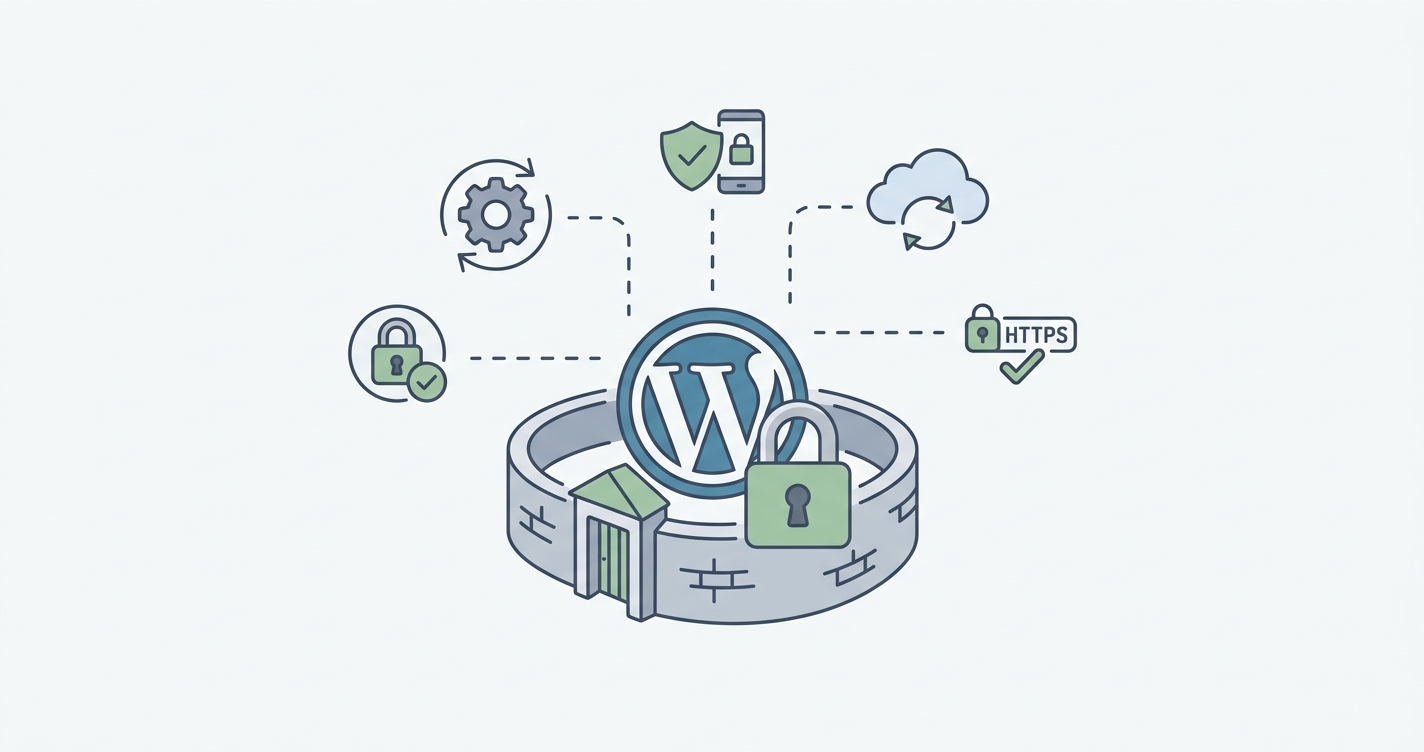
WordPress website security comes down to seven habits: staying current on updates, locking down accounts, choosing the right host, enforcing HTTPS, keeping tested backups, monitoring for intrusions, and having a recovery plan. None of these demand a security background. What they demand is consistency, since most WordPress compromises trace back to something small that was left unattended for too long.
Bots scan the web around the clock for outdated plugins, weak passwords, and known vulnerabilities. They do not check how big a business is before targeting it; they simply look for an open door. The seven checks below cover what matters most, with a concrete starting point attached to each one.
If you are wondering how to secure a WordPress website, these WordPress security best practices are a good place to start.
1. Keep WordPress, plugins, and themes updated, and remove what you do not use
Every update to WordPress core, plugins, or themes can patch a security flaw, and skipping one for months hands attackers a known way in. Just as important, unused plugins and themes should be removed rather than left installed “just in case,” since anything sitting unmaintained on the server is a door nobody is watching.
A managed update tool such as ManageWP tracks patches across the entire site from one dashboard instead of the WordPress admin area alone. This is also one of the simplest tasks to fold into ongoing site maintenance, since it only takes someone checking in on a regular schedule.
2. Lock down every account, not just the admin’s
Every administrator account needs a strong, unique password that is not reused anywhere else, and two factor authentication should sit on top of that as a matter of course, since a stolen password alone should never be enough to get in. This extends to reviewing who actually has access: former employees, freelancers, and old contractor accounts tend to linger with permissions nobody remembers granting.
A password manager such as Bitwarden makes strong, unique passwords realistic across every account without asking anyone to memorize them. Account hygiene like this tends to slip without someone dedicated to enforcing it, which is exactly the kind of task a maintenance plan is built to cover.
3. Choose hosting built for WordPress
Good security depends as much on the hosting company as on WordPress itself. A reputable host keeps its servers patched, supports current PHP versions, and includes backups with a clear, tested recovery process. General-purpose cloud infrastructure such as raw AWS can work well at scale, but it requires ongoing server management that most small and mid-sized businesses are not set up to handle in-house.
A managed WordPress host such as Cloudways runs on the same AWS and Google Cloud infrastructure as an enterprise setup, without requiring a dedicated systems administrator. Choosing and configuring the right host is also something worth getting right once, with guidance, rather than switching providers after an incident.
4. Enforce HTTPS and harden the login page
HTTPS should cover the entire site, not just the checkout page. Likewise, the login page deserves separate attention too, as bots repeatedly try to guess credentials through sheer repetition. Strong passwords and two factor authentication remain the foundation, while a firewall filters out malicious traffic before it ever reaches the site.
Cloudflare sits in front of the site and handles SSL, firewall rules, and bot filtering together, which covers most of this checklist item in one setup. Configuring it correctly the first time matters more than which specific service is chosen, so this is often worth having a developer set up rather than leaving to trial and error.
5. Keep backups that have been tested
A backup that has never been restored is a guess, not a plan. A reliable one covers the database, media uploads, plugins, themes, and core files on an automated schedule, and it should live somewhere separate from the primary hosting account. If the live site and its backup are compromised together, the backup offers little protection.
UpdraftPlus handles automated, offsite backups well on its own. What matters more than the tool, however, is actually restoring a backup at least twice a year to confirm it works, which is a step easy to skip without someone accountable for doing it.
6. Monitor for intrusions before they show
A compromised site does not always look compromised. An attacker can quietly add an administrator account, alter files, or plant spam pages without changing anything a visitor would notice on the homepage. Monitoring tools that flag file changes, failed logins, or malware catch this early, before it costs search rankings or customer trust.
Wordfence covers malware scanning and file change alerts directly inside WordPress. Alerts are only useful if someone is actually watching them, though, which is often the gap between having a security plugin installed and being genuinely monitored.
7. Have a security and recovery plan on paper
Even a well maintained site can have a bad day, so the business should already know who manages the website, who holds hosting access, and how quickly the site can be restored. It also helps to know in advance who investigates a suspected breach and what happens if customer information may have been exposed.
A single shared document, kept somewhere accessible like Google Docs, listing hosting logins, the backup restore process, and a point of contact is often enough on its own. For businesses without in-house technical staff, this same ground is usually covered by a maintenance retainer with a development agency, with someone already on call instead of a document nobody has opened in a year.
Common misconceptions worth addressing
Several assumptions tend to create a false sense of security. None of them are unreasonable on their face, which is exactly why they persist.
- “We have a security plugin, so we are covered.” A plugin can catch known threats and flag suspicious activity, but it cannot compensate for outdated software, weak passwords, or an admin account nobody has reviewed in years. It is one layer, not the whole system.
- “Our business is too small to be a target.” Automated attacks scan indiscriminately across the entire web rather than selecting victims by size or industry. A bot does not know or care whether a site belongs to a local shop or a large enterprise; it only cares whether the software behind it is outdated.
- “We were secure when the site launched, so we still are.” Security is not a one-time state. Plugins fall out of maintenance, PHP versions reach end of life, and new vulnerabilities are discovered in code that has not changed at all. A site can drift from secure to exposed without anyone touching it.
- “We just redesigned the site, so everything is current.” A redesign usually replaces the front end, not necessarily the accounts, integrations, or leftover plugins from the previous build. Old logins and unused tools have a way of surviving redesigns intact.
- “We do not process payments, so there is nothing worth stealing.” Attackers are often after server resources, email reputation, or search traffic rather than financial data. A compromised site can be used to send spam, host malware, or redirect visitors, none of which requires a checkout page.
- “We would notice right away if something went wrong.” Many compromises are designed to stay hidden. An attacker can add a hidden administrator account or plant spam pages without changing anything a visitor sees on the homepage, which is why active monitoring matters more than assuming the site would look different.
- “We have backups, so we are protected either way.” Backups support recovery, not prevention, and an untested one may not restore properly when it is actually needed. A backup is only as good as the last time someone confirmed it works.
- “Changing the login page address is enough on its own.” Moving the login URL can reduce automated traffic slightly, but it does nothing against a compromised password or a targeted attempt. It is a minor deterrent, not a substitute for strong passwords and two factor authentication.
Keeping a business website secure
Knowing whether a website is actually being maintained, and by whom, matters more than becoming a security expert. These seven habits cover most of what causes WordPress sites to be compromised, and together they give a business a far better chance of recovering quickly if something does go wrong.
At Web Experts Nepal, we help businesses maintain WordPress websites with a focus on security, performance, technical SEO, and long term reliability. If it has been a while since your website was properly reviewed, that is the right place to start.
Contact UsRelated resources.
What Is MVP Development? Meaning, Process, and Why Startups Use It
WordPress or Custom Development? A Practical Guide for Growing Businesses
What Makes a WordPress Website Sustainable Long-Term?
Have an idea worth building?
Share your concept with us and we’ll help you shape the right approach.